


Nomorobo Max
4.1199.00 Reviews
App Specs
- Version
- 2.3.0
- Updated On
- License
- Free
- Downloads
- 50,000+
- Developer
- Telephone Science Corp
- Categories
- Communication
- Platform
- Android
Screenshots

 Analysis by AppCompare
Have you ever been in the middle of a lovely dinner with friends when your phone starts buzzing, only to find out it’s another spam call? Annoying, right? Well, I might have just stumbled upon a nifty solution: the Nomorobo Max app. If you’re like me and tired of those pesky robocalls, then you might want to keep reading.
Where the App Fits Today
Nomorobo Max is a communication app from Telephone Science Corp that aims to make unwanted calls and texts less intrusive. I see its value most clearly for people whose phone numbers have made it onto marketing lists, or who receive repeated automated calls while trying to work, look after family, or simply enjoy a quiet evening. Its approach is practical: reduce interruptions rather than ask you to screen every unfamiliar number yourself.
The app is free to install, with in-app purchases ranging from $4.99 to $79.99 per item. That makes it worth checking the available options before assuming every part of the service is included at no cost. I would first decide what problem I need solved—mostly calls, mostly texts, or both—and then review the purchase choices in the app rather than paying for something I may not use.
It has an average rating of 4.1 from around 880 ratings, with roughly 179 written reviews and over 50,000 installs. Those figures suggest a real user base, but they don’t tell me whether the app will correctly handle every number in my own contacts and call history. Spam detection is personal in that sense: the usefulness depends on the kinds of calls and messages reaching your phone.
What the Version History Can—and Can’t—Tell You
The current version is 1.8.0, and the app was released on March 21, 2023. Those facts give a useful point of reference for anyone checking whether they have the latest available build. They do not, by themselves, establish exactly which detection changes or new tools appeared between releases, so I would avoid treating a version number as proof of a particular improvement.
For existing users, the practical habit is simple: keep the app current and check its settings after an update, especially if call handling or text filtering seems to behave differently. A change in the app can also make it worthwhile to review which numbers you trust. That small check is more useful than assuming the protection will always match your preferences without attention.
What’s the Deal with Nomorobo Max?
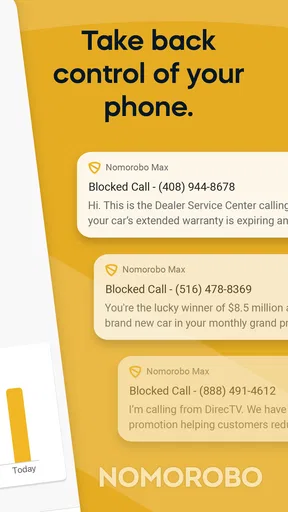
Straight up, Nomorobo Max is like having a bouncer for your phone. It’s designed to block unwanted spam calls before they even reach your ear. The app is available on both Android and iOS, making it a handy tool for anyone looking to keep their phone line a little more peaceful.
Worth Reading Before You Choose

EA SPORTS FC Mobile 26 Is a Bigger Football Game, but It Takes Time

Flipboard Shows What News Apps Must Do Beyond the Feed

Switching to Android Auto Means Rethinking Your Driving Routine

Google Calendar Makes a Crowded Week Easier to Manage

Ludo King Makes the Most of the Minutes Between Plans

Baby Panda World Brings Quick Play to Modern Phones, but Its Game Library Feels Busy
Now, the app doesn’t just block spam calls; it also has features to identify and block spam texts. This is a game-changer for those who get bombarded with unwanted messages at all hours. It’s like your personal phone security guard, working tirelessly in the background.
Getting Started with the App
Setting up Nomorobo Max was a breeze. I downloaded it from the app store, and the installation was quick and painless. Once installed, the app guided me through a simple setup process. It was like having a tech-savvy friend walk me through it.
The interface is user-friendly, with everything laid out clearly. You don’t need to be a tech wizard to get things up and running. Just a few taps here and there, and you’re all set. The app also updates its spam database regularly, which is a relief because those spam calls are always evolving.
Features That Stand Out
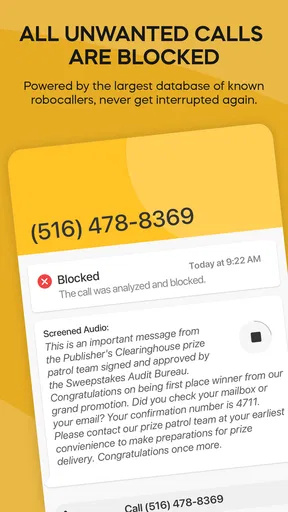
One feature I found particularly cool is the real-time protection. As soon as a spam call is detected, the app springs into action, blocking it before it can ring through. This means fewer interruptions during my favorite Netflix binges.
Another great feature is the spam text blocker. It’s like having a filter that keeps your messages clean and tidy, blocking those annoying spam texts that clutter your inbox. Plus, the app gives you the option to create a whitelist, ensuring important calls from numbers like your dentist or that new sushi place don’t get blocked.
Making the Filtering Work for Your Routine
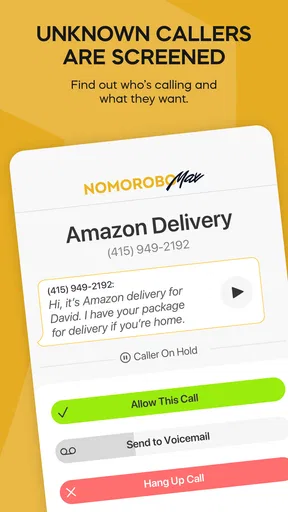
I’d treat the whitelist as a safety net, not a substitute for checking your call history. Before relying on aggressive filtering, add the numbers you genuinely need to hear from, such as a clinic, school, delivery service, or a family member who sometimes calls from a different phone. When an unfamiliar but legitimate caller matters, checking the log can help you spot a missed contact and adjust your trusted list for next time.
A useful everyday test is to notice what happens over several days rather than judging the app after one quiet afternoon. If you receive calls from clients or customers, keep an eye on whether expected calls are still getting through. For a parent waiting for a school call, or someone arranging medical appointments, a little caution with blocking settings is sensible: convenience matters, but a mistaken block can matter more.
For texts, I would be especially careful about treating every unexpected message as harmless just because filtering is enabled. Use the app to reduce nuisance messages, but still be alert to suspicious links and requests for personal details. A spam filter can lower the clutter; it should not replace common-sense checks when a message claims to come from a bank, delivery company, or government office.
Performance in Everyday Use
In my everyday use, Nomorobo Max has been a solid performer. I’ve noticed a significant reduction in spam calls, which is a huge win in my book. The app runs quietly in the background, not hogging my phone’s resources or battery life.
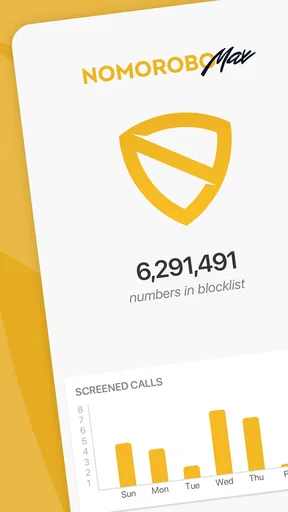
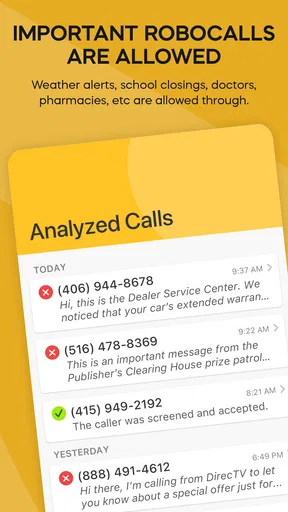
I also appreciate the app’s transparency. It offers a log of blocked calls and texts, so you can see just how many spam attempts have been thwarted. It’s oddly satisfying to see the numbers stack up and know those calls didn’t get through.
How It Compares with Built-In Controls
Most phones already offer ways to silence or block particular callers, and some carriers provide their own call-management tools. Those options can be enough if the problem is one persistent number or if you prefer to handle each unwanted caller manually. The trade-off is that repeatedly identifying and blocking numbers takes attention, while a dedicated service such as this is intended to handle a broader stream of unwanted calls and texts.
I would choose a built-in setting instead if I only needed to silence unknown callers and was comfortable with the possibility of missing legitimate calls from numbers I have not saved. That broad approach is blunt. A dedicated spam tool makes more sense when unwanted contact is frequent and you want to inspect what has been filtered, though it still deserves occasional checking rather than blind trust.
For someone who rarely gets spam, adding another app and learning its settings may feel unnecessary. Likewise, if you depend on calls from rotating or unfamiliar numbers, a strict blocking approach may create more anxiety than relief. In that case, a lighter setting or manual review is a better fit than trying to block every call that looks unfamiliar.
Who Is Likely to Benefit—and What to Watch
The app is rated for Everyone and requires Android 10 or later on Android devices. I’d consider it for an adult who wants a single place to manage nuisance calls and messages, or for someone helping a less tech-confident relative reduce interruptions. That relative should still know how to check blocked activity and how to reach trusted contacts, rather than assuming every call will be sorted perfectly on its own.
When setting it up for someone else, I’d walk through the basic controls together and make sure their essential contacts are easy to reach. Then I’d revisit the blocked log after a few days. That is a low-effort way to catch an unexpected legitimate call without requiring the person to investigate every alert as it arrives.
The main remaining trade-off is the balance between filtering and control. More blocking can mean fewer interruptions, but no automated judgement should be treated as infallible. If an important call seems to have vanished, checking the log and adjusting the trusted contacts is more constructive than simply turning off all protection. If the app’s purchase options are relevant to a feature you want, compare them with your actual needs before committing; someone who only needs occasional manual blocking may not benefit from paying for more.
Final Thoughts
If you’re on the lookout for an effective way to manage spam calls and texts, I’d say give it a shot. It’s user-friendly, efficient, and does exactly what it promises. While no app is 100% perfect, this one comes pretty darn close in its mission to give you back control of your phone.
So, if you’re ready to enjoy a little more peace and quiet, download the app and see how it works for you. Who knows, you might just find yourself enjoying uninterrupted dinners once again!
Pros
- Effective spam call blocker
- Easy-to-use interface
- Customizable blocking options
- Minimal impact on battery life
- Frequent updates enhance features
Cons
- Occasional false positives
- Limited free trial period
- Requires internet connection
- Some features are premium-only
- Not 100% effective on all carriers
FAQs for Nomorobo Max
What is Nomorobo Max and how does it work?
Nomorobo Max is an advanced call-blocking app designed to protect users from unwanted robocalls, telemarketers, and spam messages. It utilizes a vast database of known spam numbers and advanced algorithms to detect and block suspicious calls in real-time. The app also allows users to report new spam numbers, enhancing its effectiveness over time.
Is Nomorobo Max available for both Android and iOS devices?
Yes, Nomorobo Max is available for both Android and iOS platforms. Users can download the app from the Google Play Store for Android devices and the Apple App Store for iOS devices. It offers a seamless experience across both operating systems, ensuring robust call protection for a wide range of smartphones.
Does Nomorobo Max affect the performance or battery life of my phone?
Nomorobo Max is optimized to run efficiently in the background without significantly impacting your phone’s performance or battery life. The app uses minimal resources to perform real-time call analysis and blocking, ensuring that your device remains responsive and your battery lasts as expected.
Are there any subscription fees or in-app purchases in Nomorobo Max?
Nomorobo Max offers both free and premium versions. The free version provides basic call-blocking features, while the premium version, available through a subscription, includes advanced functionalities such as enhanced spam detection and personalized call filtering options. Users can choose the plan that best suits their needs.
How does Nomorobo Max handle privacy and data security?
Nomorobo Max prioritizes user privacy and data security. The app does not store personal call data or share it with third parties. It uses encryption to protect any data that is processed through its system, ensuring that users’ information remains confidential and secure. Regular updates help maintain high security standards.


